 WINGMAN
The AI rizz keyboard that replies inside any chat
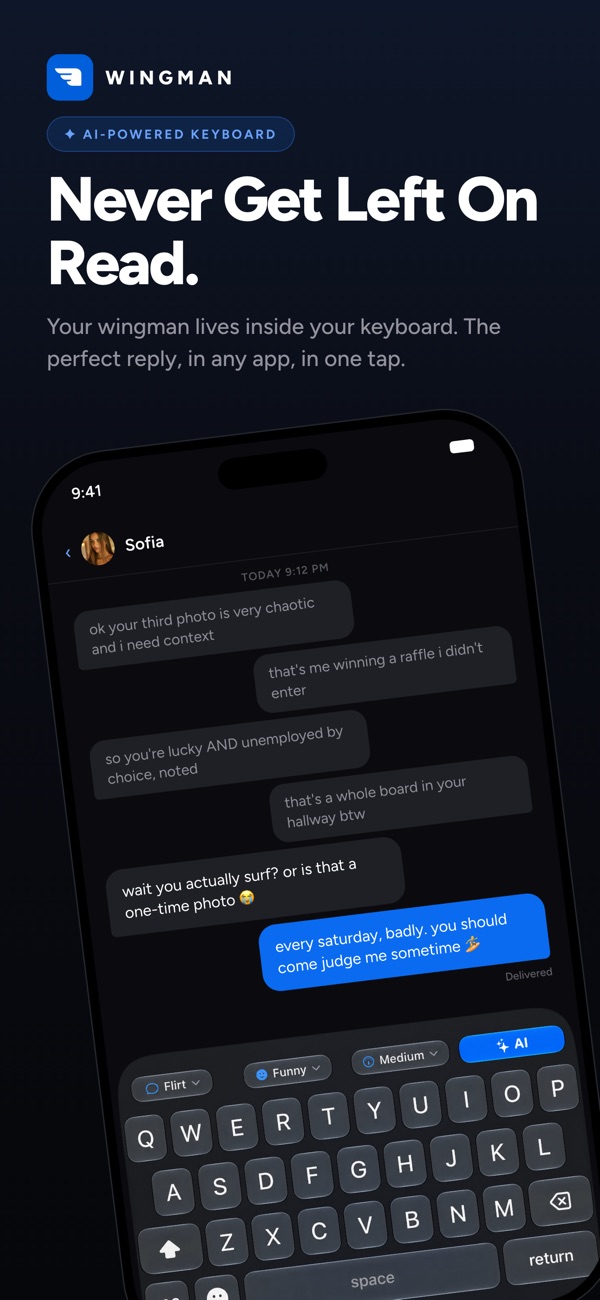
Wingman lives in your iPhone keyboard. It reads the conversation you're already in and gives you replies that sound like you on a good day, without leaving the chat.
Free download · iPhone & iPad · iOS 17+ · Rated 4.3★ (6 ratings, US App Store, checked October 18, 2026)
Why a rizz keyboard beats a rizz app
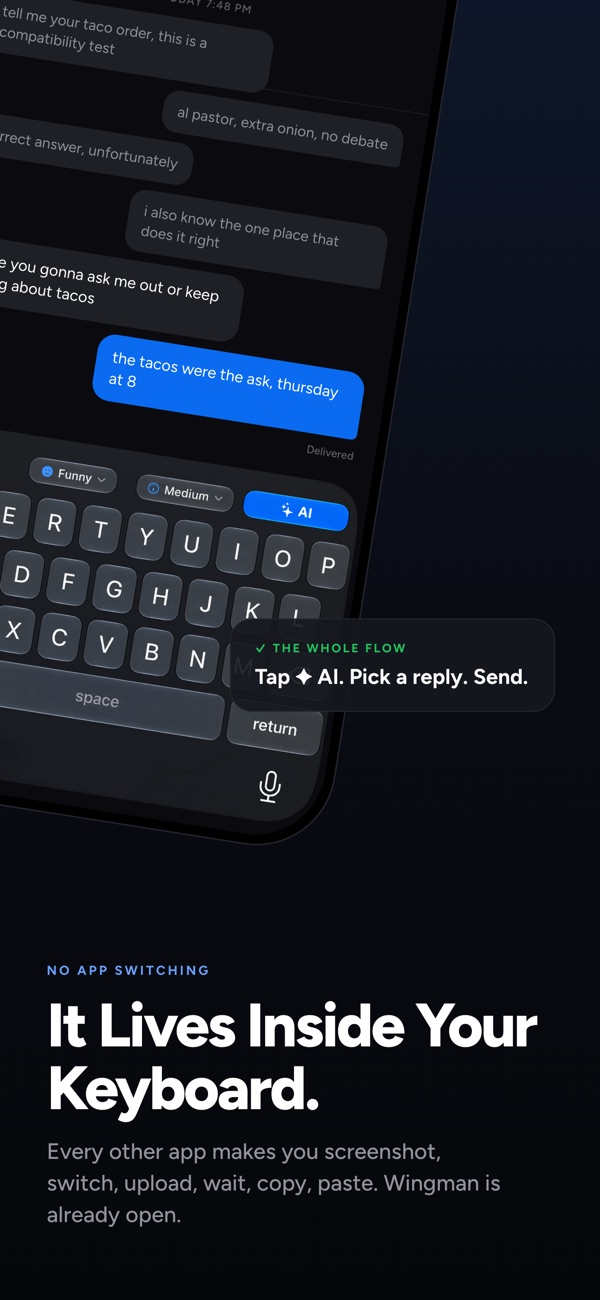
Most rizz apps work like this: screenshot the chat, switch apps, upload, wait, copy, switch back, paste. By then the moment is gone. Wingman is a rizz app for iPhone that works as a keyboard: tap Reply, pick the option that fits, send it. You never switch apps.
Replies in any app
iMessage, Instagram, WhatsApp, Snapchat, Hinge, Tinder — anywhere you type.
Reads photos too
Drop in a screenshot of the conversation, a story or a profile, and Wingman writes a reply that fits what's actually there.
7 reply types
Icebreaker, Flirt, Comeback, Opener, Compliment, Apology and Joke.
6 tones
Chill, Funny, Smooth, Charming, Bold and Serious, so replies sound like you, not a robot.
Writes in your language
Replies come back in the language of the conversation. App translated into 8 languages.
A full keyboard
Nine layouts, autocorrect in your language, big emoji picker, haptics, adjustable height.
How it works
- Download Wingman from the App Store and add the keyboard in iPhone Settings.
- Open any chat and switch to the Wingman keyboard.
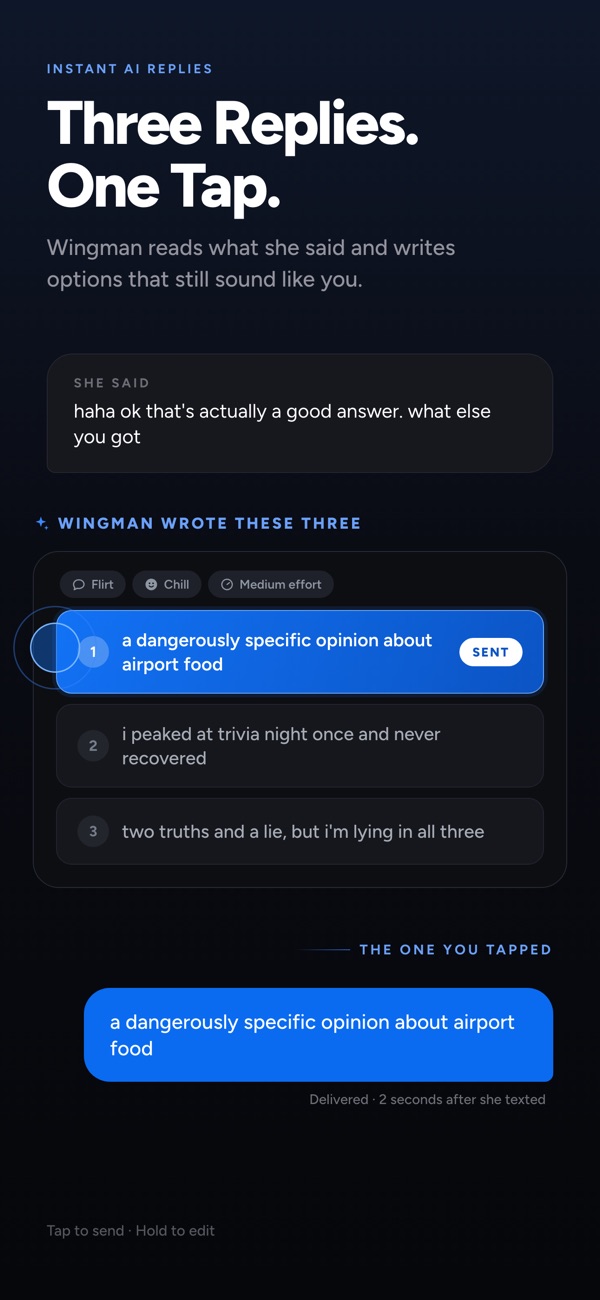
- Choose a reply type and tone, tap Reply, and pick one of the suggestions.
- Edit it if you like, then send.
Pricing
Wingman is free to download and the keyboard itself is free in every app. AI replies are part of Wingman Pro: $6.99/week or $39.99/year in the US, with a 3-day free trial on the yearly plan. Prices are shown in your local currency in the app before you buy. Wingman Pro includes unlimited AI replies and regenerations, all 7 reply types and 6 tones, photo and screenshot replies, 3 options per request, and Low/Medium/High effort modes.
Compare
Shopping around? Read our honest best rizz apps of 2026 comparison, see how Wingman stacks up as a RIZZ app alternative or a Keys AI alternative, or learn how to get AI replies for Tinder and Hinge.
About Wingman
Wingman: Rizz AI Keyboard is an AI keyboard for iPhone and iPad made by independent developer Mayer Sancivieri. It suggests replies inside any chat app (iMessage, Instagram, WhatsApp, Snapchat, Hinge, Tinder) without switching apps. On the App Store it is listed as "Rizz AI Keyboard — Wingman". It is free to download; AI replies need Wingman Pro ($6.99/week or $39.99/year in the US, 3-day free trial on yearly). It first launched on February 26, 2026; current version 2.2.0 (September 2026). US App Store rating: 4.3 from 6 ratings (checked October 18, 2026).
FAQ
What is an AI rizz keyboard?
It is a custom iPhone keyboard with an AI reply button built in. Instead of screenshotting a chat and pasting it into a separate app, you open the keyboard inside the conversation, tap Reply and pick a suggested message. Wingman is an AI rizz keyboard.
Which apps does Wingman work in?
Any app where you can type, including iMessage, Instagram, WhatsApp, Snapchat, Hinge and Tinder.
Is Wingman free?
Wingman is free to download and the keyboard itself is free in every app. AI replies are part of Wingman Pro: $6.99/week or $39.99/year in the US, with a 3-day free trial on the yearly plan. Prices are shown in your local currency in the app before you buy.
Is there a Wingman rizz app for Android?
No. Wingman is currently available for iPhone and iPad only (iOS/iPadOS 17 or later).
Can Wingman read screenshots?
Yes. You can drop in a screenshot of a conversation, a story or a profile, and Wingman writes a reply that fits what is in the image. Multi-screenshot context analysis is supported.
Does Wingman log what I type?
No. According to Wingman's privacy policy, the keyboard extension does not collect, transmit or store your keystrokes. Text is only sent to the AI provider when you explicitly ask for a reply, and it is not stored on Wingman's servers. See the privacy page for details.
What languages does Wingman support?
Wingman replies in whatever language the conversation is in. The app itself is translated into Spanish, Portuguese, German, French, Italian, Japanese, Korean and Chinese, and the keyboard has nine layouts including QWERTY, AZERTY, QWERTZ, Nordic, Turkish and Cyrillic.
Free download · iPhone & iPad · iOS 17 or later